Build and backtest your trading setups in plain words.
Describe your setup in plain words; SEPT turns it into rules you can backtest, paper trade and automate.
SEPT Investing’s Playbook turns a trading setup you describe in plain words into exact rules: a screener for the stocks to watch, then signal, confirmation, entry, stop and targets, with alerts on every step. It’s for active traders who have a setup in mind and want to know its odds before risking money. Every rule runs on SEPT’s price-action facts, so the same setup can be backtested, paper traded and automated.
In beta: included in your plan, still improving.
From a sentence to a complete setup
Write it in plain words
Step 1: the screener
Signal, Confirmation, Entry
Stop, Targets, Close Trade
Alerts at every step
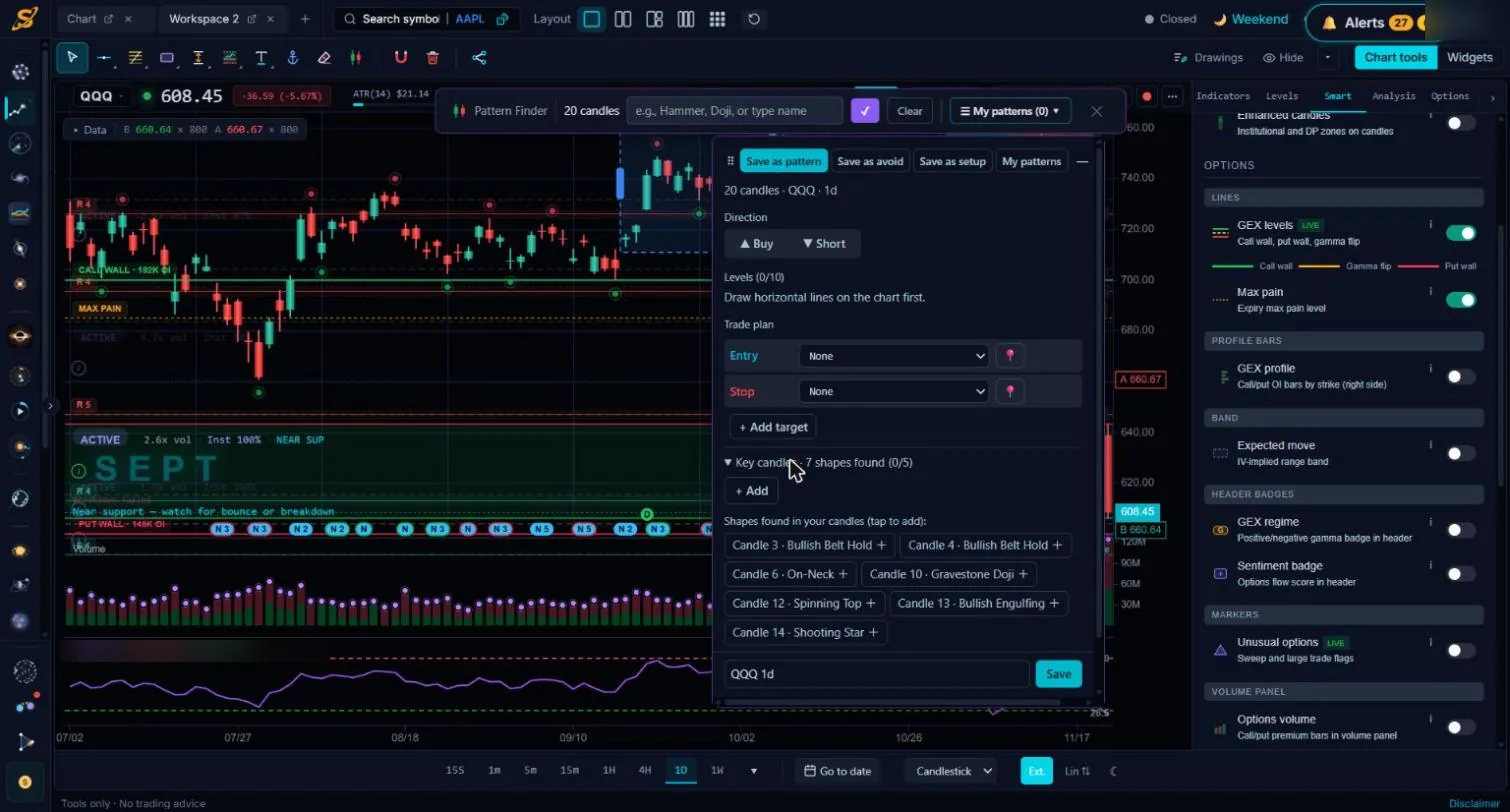
Start from the chart
Screeners, setups and playbooks
One screener, several setups
Playbooks
On and off switches
Build it, test it, prove it, then automate it
Write the setup in the Playbook, backtest it on 1-minute data, prove it on paper in real time, then trade it yourself or let Full Autonomous Trading run it. See what SEPT works out from price in the technical analysis overview.
Which plans include the Playbook
Every plan includes the Playbook. How many screeners and setups can be on at the same time depends on your plan. See plans.
Playbook questions
Do I need to code?
No. You describe the setup in plain words and SEPT builds the exact rules, then reads them back to you. The Pro builder is optional.
What is the difference between a screener and a setup?
The screener chooses which stocks to watch. The setup is the trade itself: signal, confirmation, entry, stop and targets. One screener can have several setups, long or short.
Can I backtest a Playbook setup?
Yes. Backtesting runs your screener on each past day and tests the setup on every stock it would have picked, on 1-minute candles with premarket and after-hours, with trading costs included.
Can a setup trade automatically?
Yes. Turn on Full Autonomous Trading for the setup and it runs it for you on SEPT paper trading, so you can compare real-time results with the backtest.
Write your first setup free
Start freeQuestions? Contact us.
Data and education only, no investment advice. SEPT provides tools only; all setups and trades are yours. Backtest results are hypothetical on past data; past results do not predict future results.