Build your own indicator without code.
SEPT Investing’s Custom Indicators let you build your own chart indicator without code. Describe it in plain words in any language, pick pieces from a list, or write a formula. SEPT repeats it back in plain words and draws it on your chart so you can check it’s what you meant before you save it. Then turn it on in your charts, set an alert on it, or share it in the Library.
In beta: included in your plan, still improving.
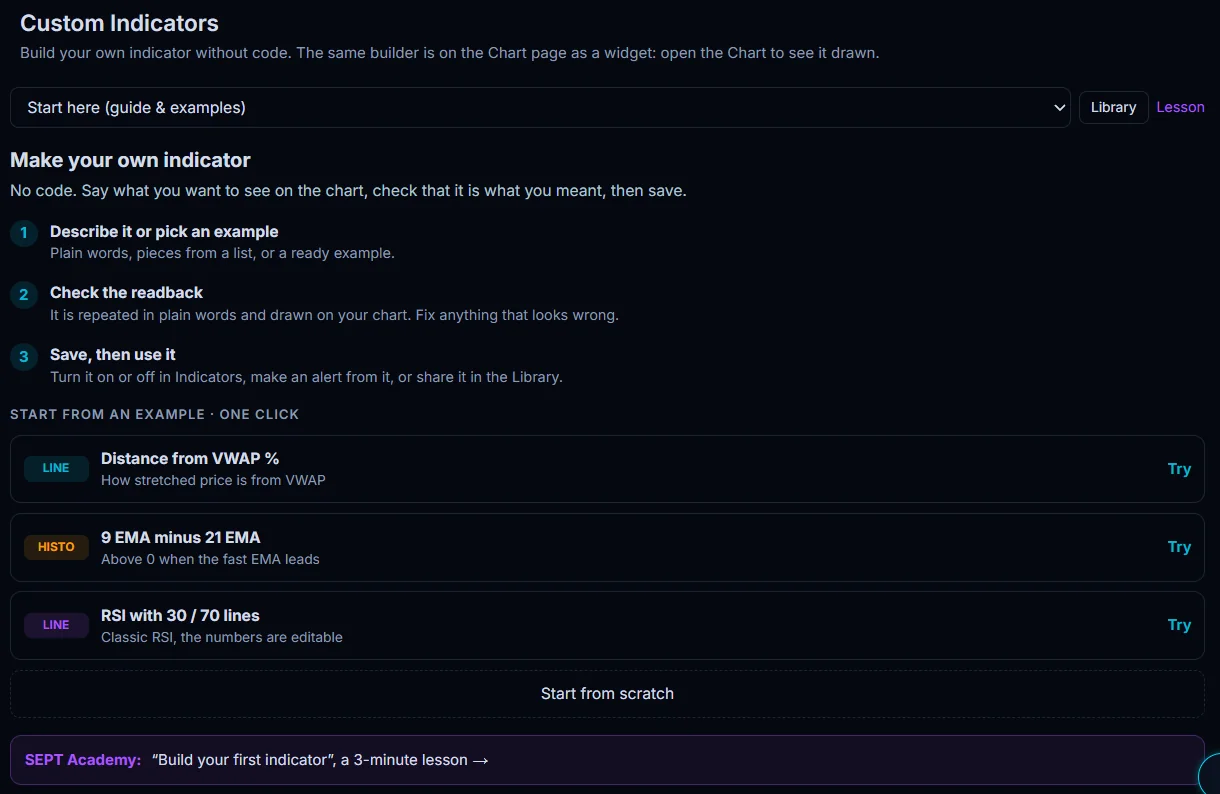
Three steps
- Describe it or pick an example. Plain words, pieces from a list, or a ready example.
- Check the readback. It is repeated in plain words and drawn on your chart. Fix anything that looks wrong.
- Save, then use it. Turn it on or off in Indicators, make an alert from it, or share it in the Library.
Three ways to build
Plain words
Pieces
Formula
EMA(close, 9) - EMA(close, 21).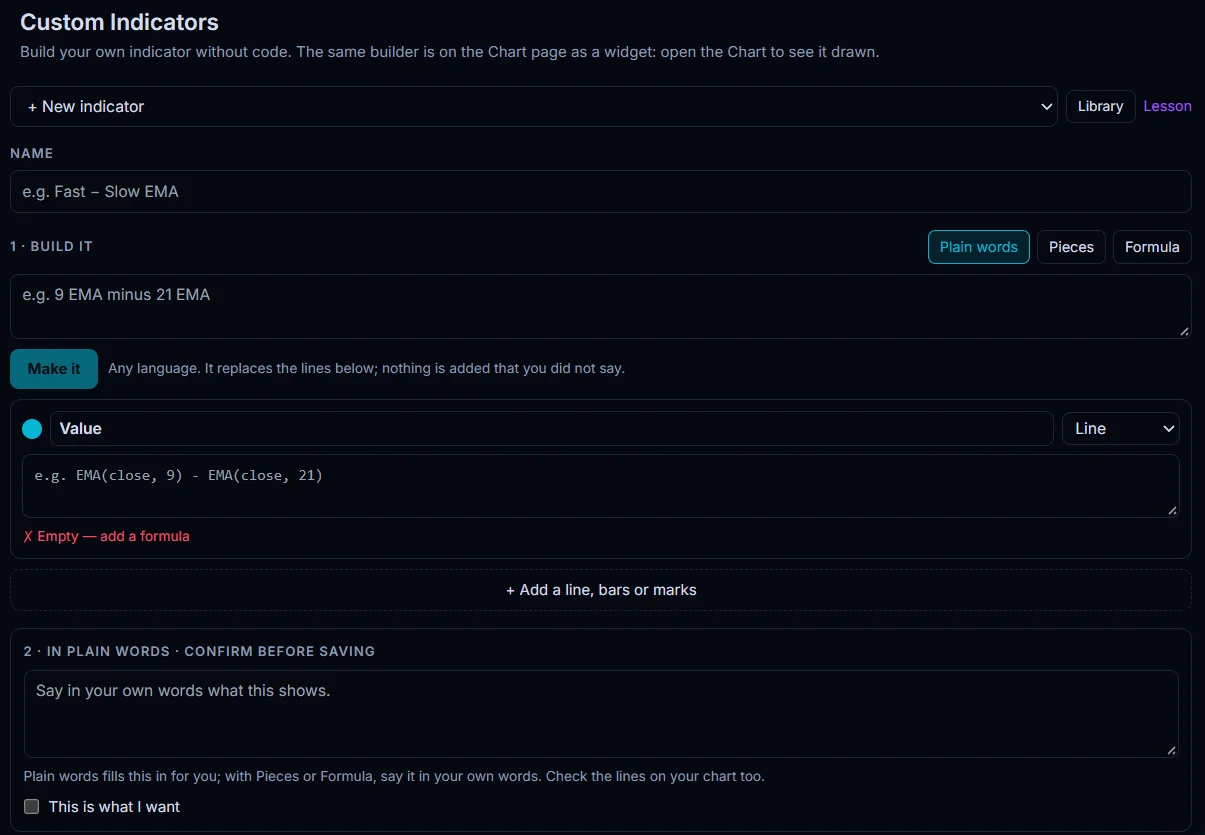
Start from an example
Distance from VWAP %
9 EMA minus 21 EMA
RSI with 30 / 70 lines
Lines, histograms and marks
Add several lines, bars or marks to one indicator, with settings for inputs, style and visibility.
Confirm before saving
Before you save, SEPT shows the indicator in plain words and asks you to tick “This is what I want”, so it does exactly what you meant.
Where you can use it today
On the chart
In alerts
In the Library
New to it? The SEPT Academy lesson “Build your first indicator” takes 3 minutes. Open the lesson.
Want full control? SEPTScript
LAUNCHING SOONSEPTScript is SEPT’s own language for indicators and dashboards. Write it yourself, or let your own AI assistant write it from SEPT’s guide. See SEPTScript.
From an idea to a line on your chart
Build it here, see it on the chart, get alerts from it, and build setups in the Playbook. See everything SEPT works out from price in the technical analysis overview.
Which plans include custom indicators
Custom indicators are included in your plan. See plans.
Custom indicator questions
Do I need to code?
No. Describe the indicator in plain words or pick pieces from a list. A formula is there if you want exact control.
Can I describe an indicator in my own language?
Yes. Plain words work in any language, and SEPT repeats the indicator back to you before you save it.
Can I get an alert from my own indicator?
Yes. Once it is saved, make an alert from it the same way as any other alert.
Can I share my indicator?
Yes. Share it in the Library, where other traders can use it too.
Build your first indicator free
Start freeQuestions? Contact us.
Data and education only, no investment advice. SEPT provides tools only; all setups and trades are yours.