Every alert in one place, from a line on the chart to a sentence in plain words.
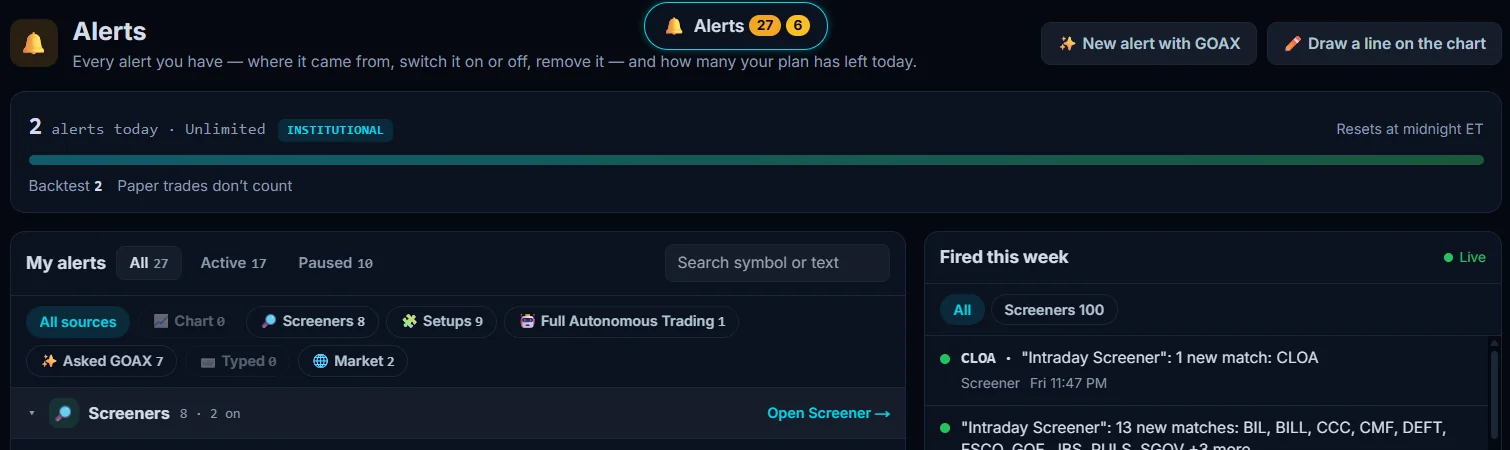
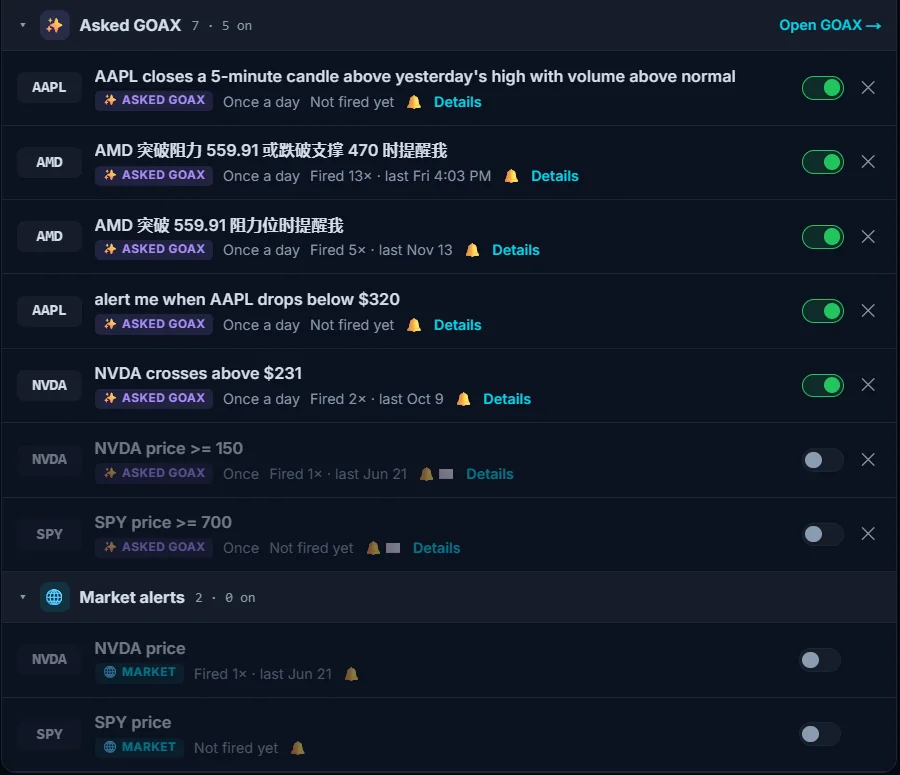
SEPT Investing’s Alerts keep every alert you have in one place: lines you draw on the chart, screeners, Playbook setups, Full Autonomous Trading, alerts you ask GOAX for in plain words (any language), and market alerts. Switch each one on or off, see when it last fired, and watch new matches come in live.
In beta: included in your plan, still improving.
Six ways to create an alert
Ask GOAX in plain words
Draw a line on the chart
From a screener
From a Playbook setup
From Full Autonomous Trading
Market alerts
One page for all of them
Filter by source
Switch, check, remove
How often it can fire
Status you can read
History on every alert
“Fired this week”, live
Your plan’s alerts, shown up front
Alerts today, up front
Resets at midnight ET
Backtests counted separately
Where alerts arrive
Alerts arrive as push notifications, and by email if you turn it on. An alert is information about your own rule; what you do with it is your call.
From a line, a screener or a setup to a tested trade
Draw it on the chart, write it in the Screener or the Playbook, or ask GOAX. Get the alert, backtest the rule, then paper trade it or let Full Autonomous Trading run it.
Which plans include alerts
Every plan includes alerts. How many can fire per day depends on the plan; Institutional is unlimited. See plans.
Alerts questions
Can I set an alert by just typing what I want?
Yes. Ask GOAX in plain words, in English or another language, for example “alert me when AAPL drops below $320”. The alert shows up on your Alerts page with its own switch.
Can I get an alert when a screener finds new stocks?
Yes. Turn on the screener’s alert and you are told when new stocks match, with the tickers listed. Every match also shows in the “Fired this week” feed.
Can I set an alert on a line I drew?
Yes. Draw the line on the chart, then right-click it or click it again and choose “Alert on this line”.
Do paper trades count toward my alert limit?
No. Paper trades don’t count, and backtests are counted separately.
Set your first alert free
Start freeQuestions? Contact us.
Data and education only, no investment advice. SEPT provides tools only; all setups and trades are yours. Alerts are information, not advice.